| Message |
|
Author |
|
 by narly » Sun Dec 20, 2015 10:30 am by narly » Sun Dec 20, 2015 10:30 am
Just updated VlC and now caps are coming out at 720x576 . Video is playing in the correct aspect . I can't for life of me see where I can change it. Never had this problem with previous updates.
|
|
narly
Troy McLure
Joined: Thu Feb 12, 2004 7:56 pm
Posts: 45608 Karma: 481.21 (219470 thanks)
Location: Radelaide

|
| Sun Dec 20, 2015 10:30 am |

|
|
|
by sharkboi » Sun Dec 20, 2015 11:32 am
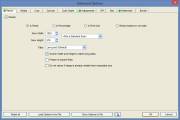
 I use MPC and have the same problem, but I use the Resize Tab in Faststone to resize the caps. 
S 836x555 571
|

|
sharkboi
Troy McLure
Joined: Sat Mar 21, 2009 10:11 am
Posts: 26463 Karma: 295.80 (78277 thanks)
Location: At my computer
|
| Sun Dec 20, 2015 11:32 am |
|
|
|
by smokan » Wed Feb 24, 2016 1:11 pm
Go to VLC - Preferences - Interface, Uncheck "Resize interface to the native video size". Or try other player like MPC as sharkboi said.
Last edited by smokan on Fri May 26, 2017 8:21 pm, edited 1 time in total.
|
|
smokan
Maggie's Pacifier
Joined: Wed Feb 24, 2016 12:40 pm
Posts: 1 Karma: none
|
| Wed Feb 24, 2016 1:11 pm |
|
|
|
by sharkboi » Wed Mar 02, 2016 4:41 pm
Good news for us cappers...  Now I have WINHD here in TAS, I found I can't cap it with MPC, it can't handle the high bitrate HD .TS files without being blocky, so tried VLC and it plays them flawlessly. So, I updated to the latest VLC, and have found that it now caps in the correct size and ratio, no matter what channel I record and cap. 
|
2
|
sharkboi
Troy McLure
Joined: Sat Mar 21, 2009 10:11 am
Posts: 26463 Karma: 295.80 (78277 thanks)
Location: At my computer
|
| Wed Mar 02, 2016 4:41 pm |
|
|
|
by narly » Wed Mar 02, 2016 4:53 pm
sharkboi wrote: Good news for us cappers... Now I have WINHD here in TAS, I found I can't cap it with MPC, it can't handle the high bitrate HD .TS files without being blocky, so tried VLC and it plays them flawlessly. So, I updated to the latest VLC, and have found that it now caps in the correct size and ratio, no matter what channel I record and cap. you still using a Strong box sharky ? Vlc doesn't like Topfield files recorded in HD or anything from 10 or 2.
|
|
narly
Troy McLure
Joined: Thu Feb 12, 2004 7:56 pm
Posts: 45608 Karma: 481.21 (219470 thanks)
Location: Radelaide
|
| Wed Mar 02, 2016 4:53 pm |
|
|
|
by sharkboi » Wed Mar 02, 2016 4:57 pm
narly wrote: sharkboi wrote: Good news for us cappers... Now I have WINHD here in TAS, I found I can't cap it with MPC, it can't handle the high bitrate HD .TS files without being blocky, so tried VLC and it plays them flawlessly. So, I updated to the latest VLC, and have found that it now caps in the correct size and ratio, no matter what channel I record and cap. you still using a Strong box sharky ? Vlc doesn't like Topfield files recorded in HD or anything from 10 or 2. Yep, still using my Strong STB, as old as it is it's compatible with MPEG4 What is the file extension for the Topfield files?
|
|
sharkboi
Troy McLure
Joined: Sat Mar 21, 2009 10:11 am
Posts: 26463 Karma: 295.80 (78277 thanks)
Location: At my computer
|
| Wed Mar 02, 2016 4:57 pm |
|
|
|
by narly » Wed Mar 02, 2016 5:22 pm
sharkboi wrote: What is the file extension for the Topfield files? Haha , no idea ! I'll have a look next time .
|
|
narly
Troy McLure
Joined: Thu Feb 12, 2004 7:56 pm
Posts: 45608 Karma: 481.21 (219470 thanks)
Location: Radelaide
|
| Wed Mar 02, 2016 5:22 pm |
|
|
|
by mxffiles » Tue Mar 07, 2017 2:24 am
smokan wrote: Go to VLC - Preferences - Interface, Uncheck "Resize interface to the native video size". Or try other player like MPC as sharkboi said. Even to try using a free video converter to customize the resolution or aspect ratio. free download to convert HD camcorder files. ts mts mod mxf avchd videos
|
|
mxffiles
Maggie's Pacifier
Joined: Tue Mar 07, 2017 1:46 am
Posts: 1 Karma: none
|
| Tue Mar 07, 2017 2:24 am |

|
|